Built at night · macOS menu-bar app · Free and open source
Nightwatch
Tells you when tonight is worth setting up the telescope, and what to point it at. You never have to open it.
Why it exists
In Yorkshire, a missed clear night costs more than a false alarm.
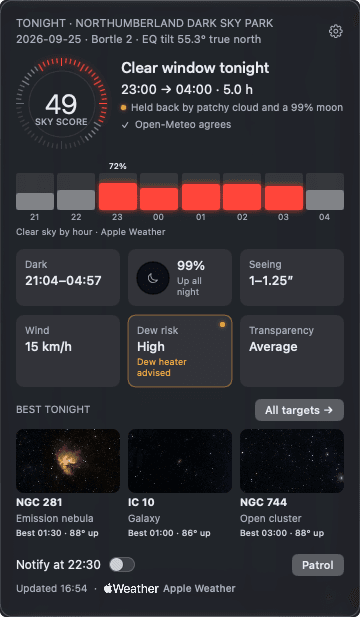
Clear nights are scarce here, and finding out whether tonight is one means reading forecast charts every evening. Nightwatch does the reading. It sits in the Mac menu bar, checks the forecast every 30 minutes, and speaks up an hour before sunset only when there is a run of dark, clear sky long enough to image in.
It was built for a DwarfLab DWARF Mini in Yorkshire, but it works with any telescope or camera and lens. Each instrument is described by its field of view.
- 3 h
- continuous clear run, at least
- ≤ 25%
- total cloud across it
- 18°
- Sun below the horizon: astronomical darkness
That is the default go rule, and all of it is adjustable. Every night also gets a score from cloud, Moon, seeing, transparency and wind, so Nightwatch ranks nights and sites instead of only passing them. The download reads Apple Weather and asks Open-Meteo for a second opinion. When the two split after a heads-up, it says so plainly: “Hold fire. Forecasts disagree.”
What it shows
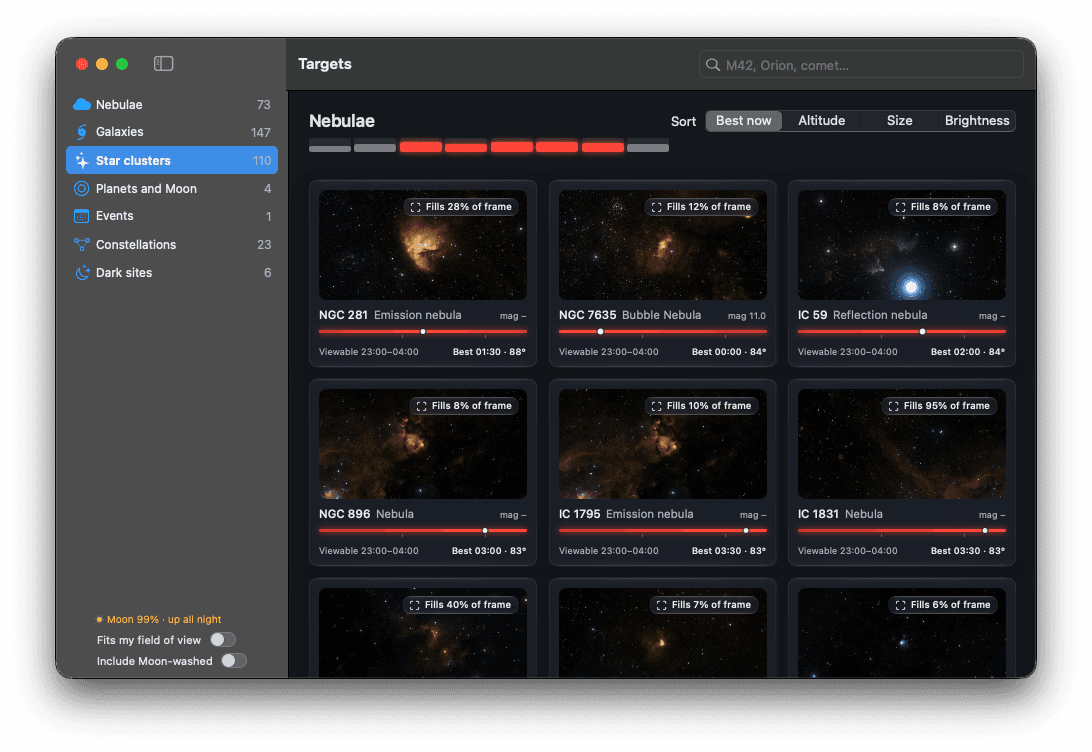
Targets
What is up tonight, and when it is best.
Everything above the horizon during the clear window: nebulae, galaxies, clusters, planets, events and all 88 constellations. Each card shows when the target is viewable, how much of your frame it fills, and whether the Moon will wash it out.
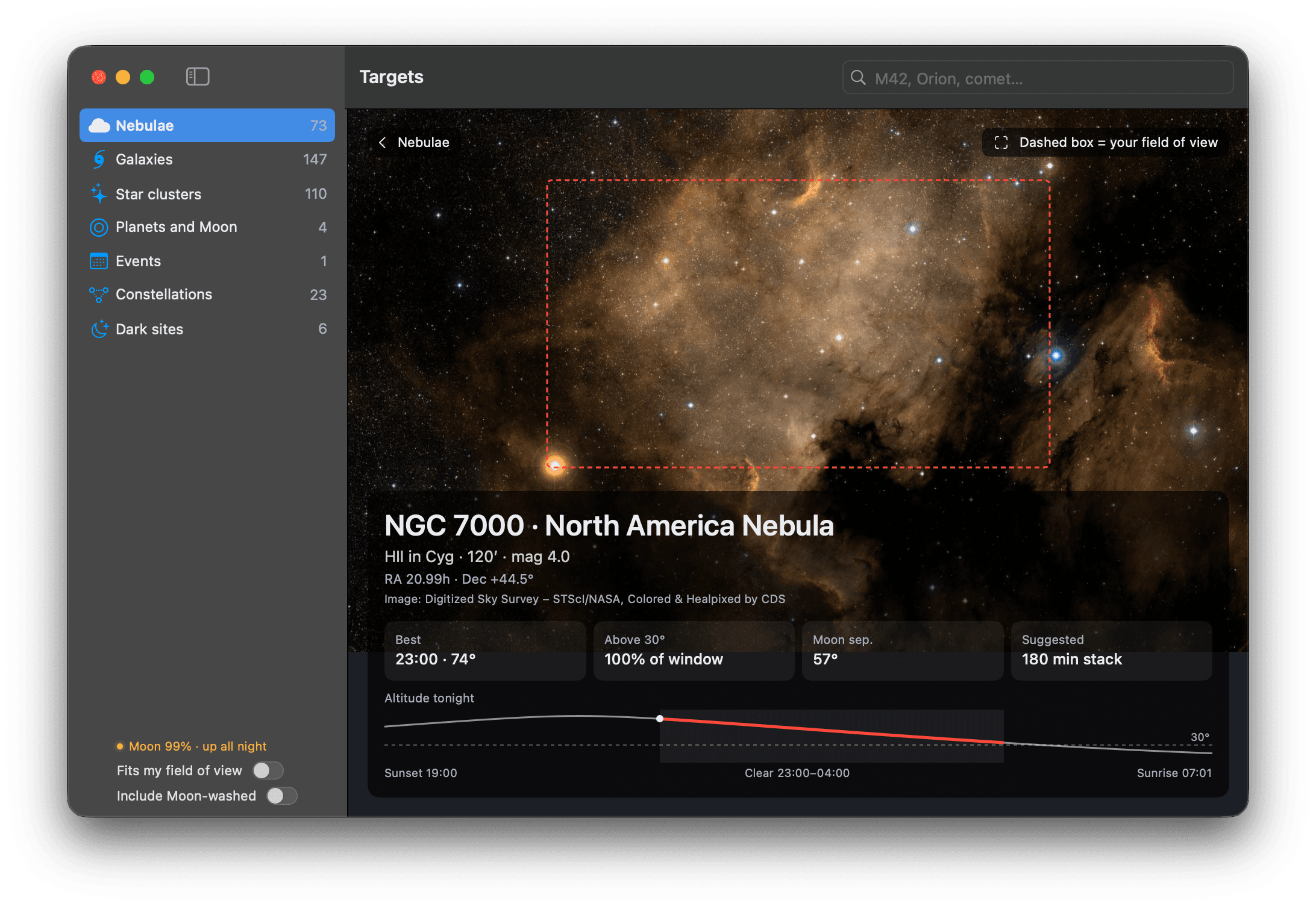
Target detail
What your telescope will actually capture.
The survey image fills the window. A dashed box marks your field of view when the object is bigger than it, and the caption gives the best time, the Moon’s distance, a suggested stack and tonight’s altitude, red only while the sky is clear.
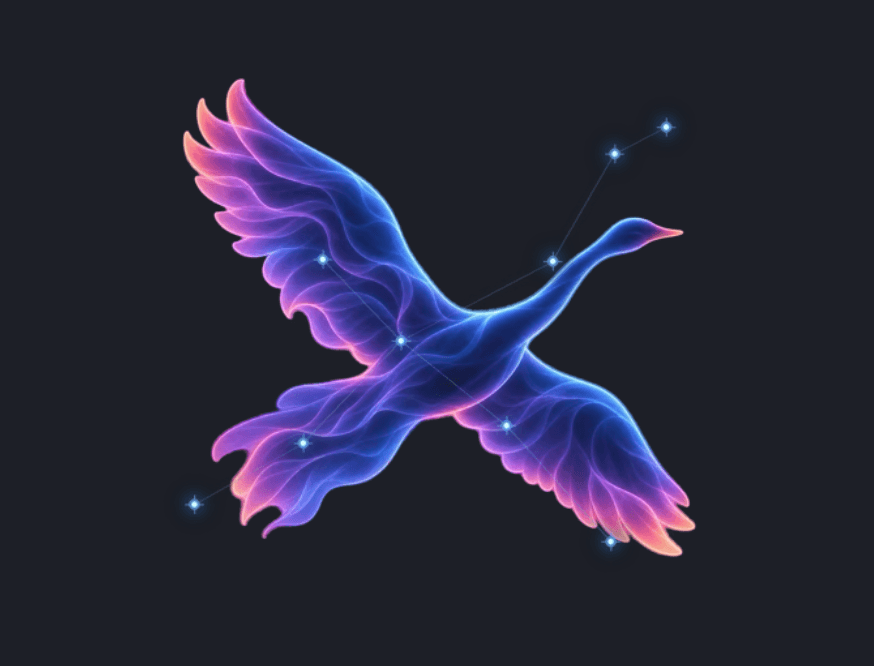
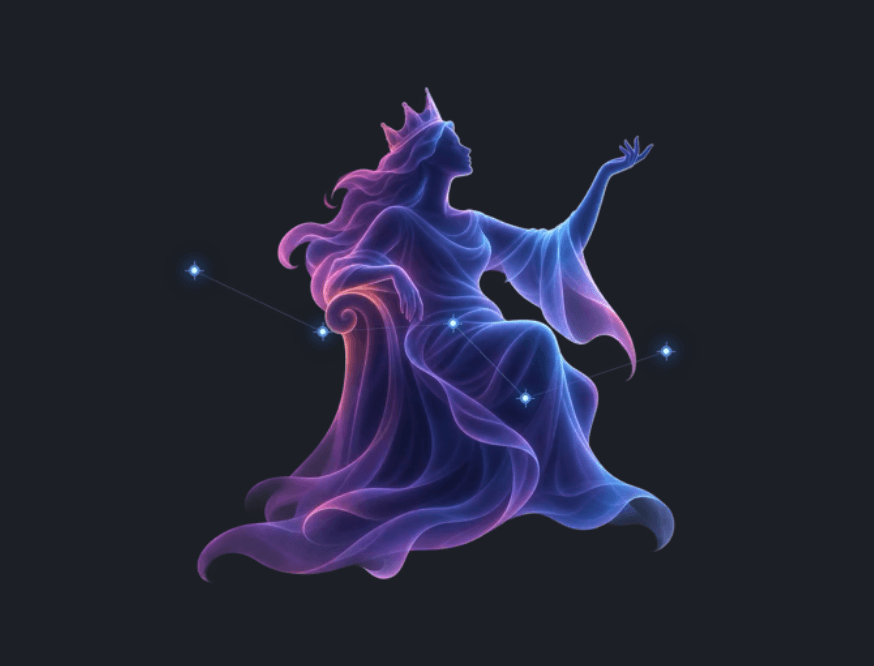
Constellations
All 88, drawn for Nightwatch.
Each constellation has its own artwork: the figure, with its real star points plotted on top, so the shape in the picture is the shape in the sky.
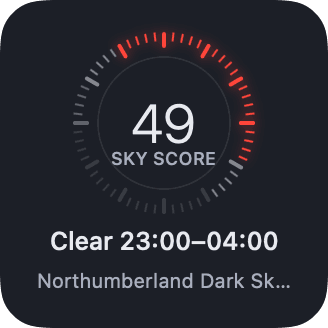
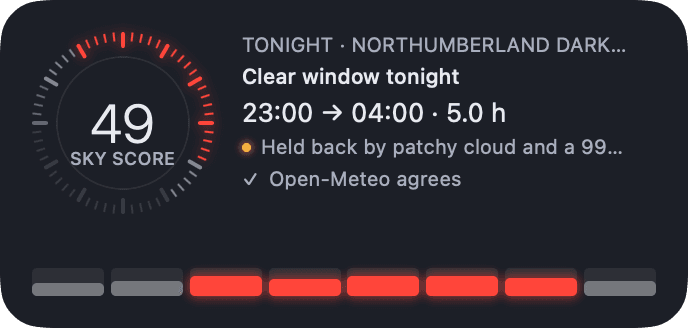
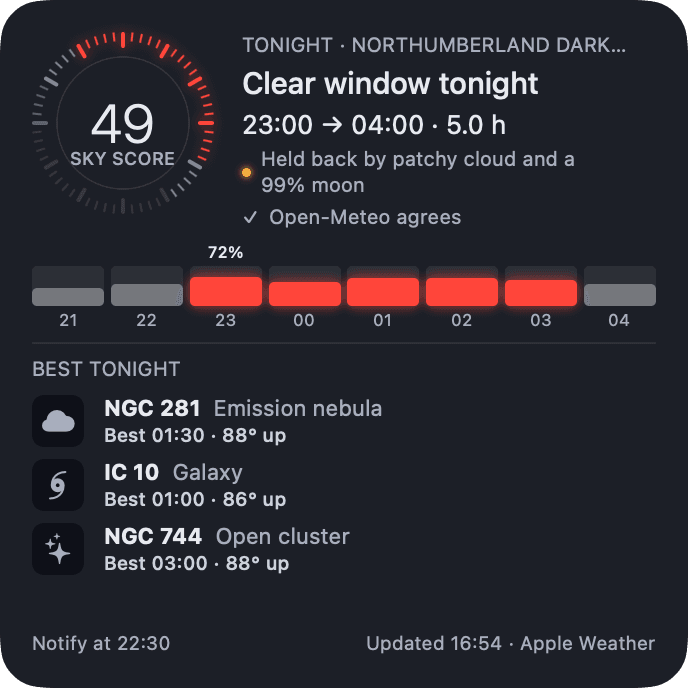
Desktop widgets
The glance.
Small, medium and large. They draw the same snapshot as the popover, so they always agree with it, and they fetch nothing themselves. With aurora alerts on, AuroraWatch UK’s status appears in its own colours.
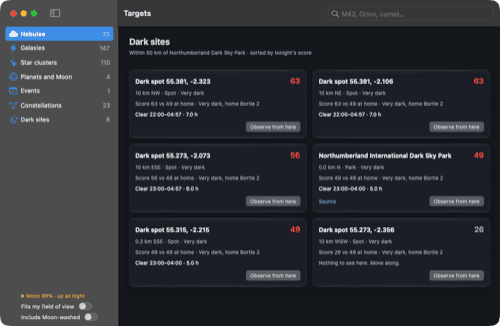
Dark sites
Somewhere clearer, within driving distance.
76 certified dark-sky places and computed dark spots from a light-pollution grid, each with tonight’s window and score beside home’s. One click observes from there; one click brings you back.
What it is not
A tool with deliberate edges.
- Not a telescope controller. It tells you when and what; the DwarfLab or Seestar app does the rest.
- Not a forecast provider. It reads Apple Weather or Open-Meteo, plus 7Timer, and applies a rule. It claims no better accuracy than its sources.
- Not a data collector. No account, no API key. Every calculation happens on the Mac; only forecast and image requests leave it.
- Not commercial. Its data sources are licensed for non-commercial use, so it is free, with no ads or subscriptions.
- Not on the App Store. It is not sandboxed, which the store requires. It is a signed, notarised download instead.
Install
Two minutes, no warnings.
- Download Nightwatch-0.6.6.dmg and drag it to Applications.
- Allow location, or add a site in Settings › Where you observe.
- Allow notifications. To add a widget, right-click the desktop › Edit Widgets.
xcode-select --install
git clone https://github.com/rsutcliffe/nightwatch.git
scripts/build-app.sh
How it was made
Eighteen releases in three days.
From 0.1.0 on 23 September to 0.6.6 on 25 September 2026, each tagged after a City Watch novel, from Guards! Guards! to Night Watch. A Swift package with 229 tests. The wording carries a light Pratchett flavour, with a plain-wording switch for anyone who would rather not.
Data and credits
Where the sky comes from.
| Purpose | Source | Licence |
|---|---|---|
| Cloud, dew, wind (primary) | Apple Weather | WeatherKit terms |
| Cloud, second opinion | Open-Meteo | CC BY 4.0 |
| Seeing, transparency | 7Timer, Shanghai Astronomical Observatory | Non-commercial |
| Aurora status | AuroraWatch UK, Lancaster University | Non-commercial, attribution |
| Sky-survey images | Digitized Sky Survey (STScI/NASA), coloured by CDS, via hips2fits | ODbL 1.0; non-profit use |
| Ephemeris | Astronomy Engine | MIT |